Planogram Execution Made Easy: Why Merchandisers Need a Mobile Workstation
By George Goodwin
Planograms are only effective if they’re executed correctly on the sales floor. But in real-world retail environments, planogram execution is often slowed down by cluttered tools, constant trips to the backroom, and teams working without a proper mobile setup.
That’s why merchandisers, reset teams, and wholesale grocers are increasingly relying on mobile workstations like The HandyCart Workstation™ to get planogram execution right the first time — from center store to front of shelf.
If you’ve ever been part of a store reset, you know the "Planogram Panic." You have a beautiful digital blueprint showing exactly where every bottle of detergent and box of cereal should go, but executing it on the floor is a different story.
In 2026, the gap between a perfect plan and a perfect shelf is being closed by mobility. For a Planogram Merchandiser or a Reset Merchandising Manager, the old way of printing out 50 pages of diagrams and running back to the office to check a detail is officially dead. To get the job done right—and fast—you need to bring your data directly to the Center store.
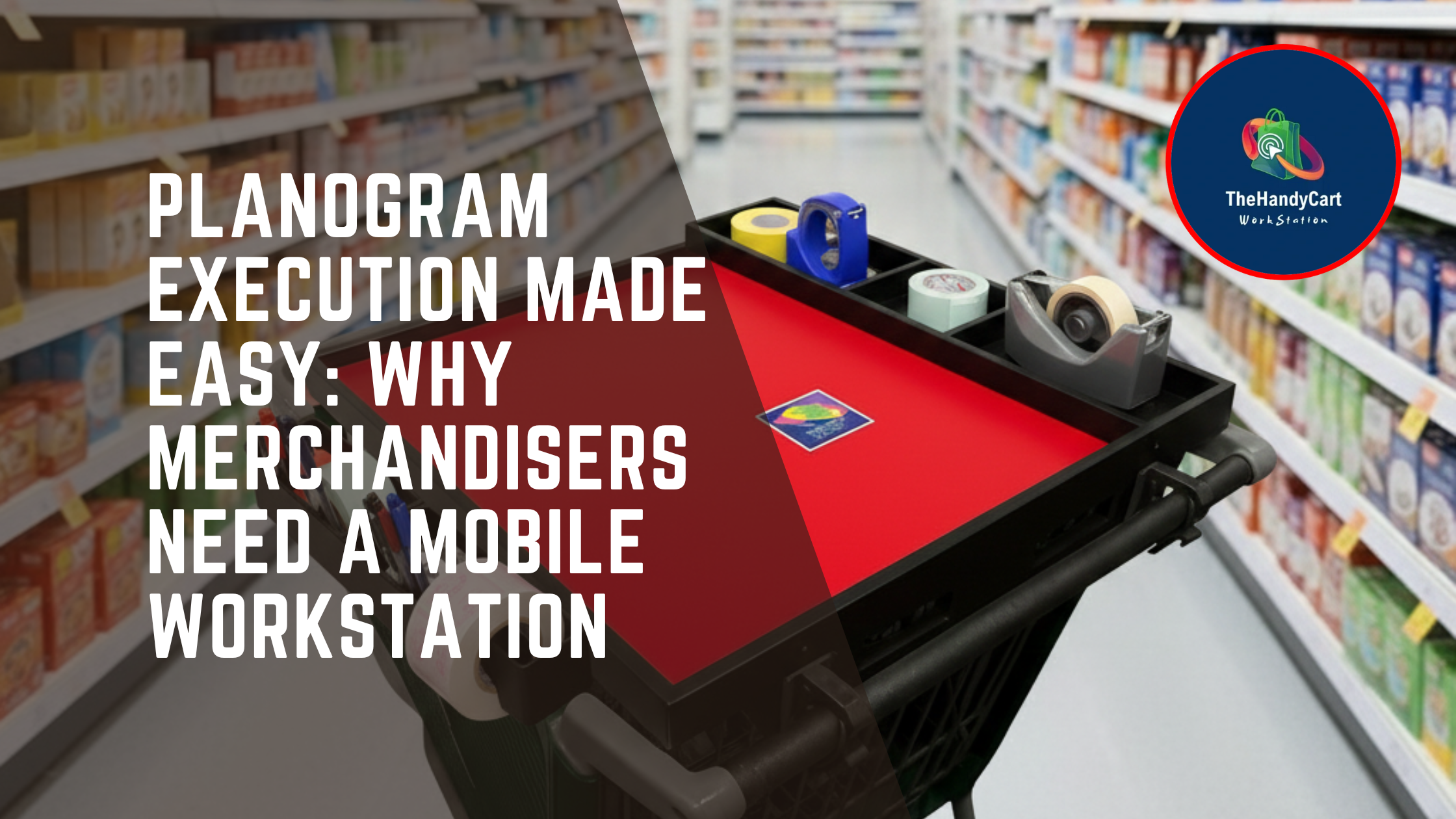
Here is why The HandyCart Workstation™ is the ultimate tool for turning complex plans into high-performing shelves. Let’s break down why mobile workstations have become essential for modern planogram work and how they help merchandising teams work faster, cleaner, and more accurately.
Why Planogram Execution Breaks Down in the Real World
On paper, planograms look simple. In-store, they’re anything but. Common challenges include:
Planogram binders left in the backroom
Pricing tools separated from shelf work
Reset teams sharing limited table space
Taggers and Shelf Associates hunting for supplies
Scan Coordinators correcting errors after resets
Pricing Coordinators fixing issues that could’ve been avoided
According to retail execution research:
“Up to 20–30% of planogram resets require rework due to execution errors, missing tools, or poor communication on the sales floor.”
A mobile workstation cart solves these problems by keeping everything at the point of work.
The Compliance Gap: Why Paper Fails
Retail studies often show that "Planogram Compliance"—actually following the plan—is much lower than managers think. Why? Because it's hard to follow a map when you have to leave the location to read it.
When Reset teams work off paper or a tiny handheld device, errors happen. A Shelf Associate might miss a shelf notch, or a Visual merchandiser might swap two products by mistake.
The Result: The Front of shelf looks messy, inventory counts get messed up, and customers can't find what they need.
How Mobile Workstations Improve Planogram Execution
1. One Mobile Hub for Planogram Merchandisers
A Planogram Merchandiser needs constant access to layouts, measurements, tags, and tools — all while standing in the aisle.
With The HandyCart Workstation™, planogram teams can keep:
Planogram binders
Tablets or laptops
Measuring tools
Shelf tags
Pricing guns
right beside them during execution, instead of walking back and forth. This alone saves time and prevents errors.
2. Faster, Cleaner Resets for Reset Teams
Reset teams and Reset Merchandising Managers are under pressure to finish quickly — often overnight or during tight store windows. A mobile workstation allows reset crews to:
Stage all tools in one place
Share resources across the aisle
Keep fixtures, tags, and signage organized
Instead of cluttered carts or floor piles, everything stays clean and accessible.
3. Better Pricing Accuracy at the Shelf Edge
Planograms and pricing go hand in hand. If pricing isn’t updated at the same time, errors happen. Pricing Coordinators, Scan Coordinators, and Scan Analysts benefit when pricing tools are available directly at the shelf edge. Mobile workstations support:
Shelf edge tagging
Price changes during resets
Immediate verification
Fewer post-reset corrections
This makes life easier for Shelf Edge Specialists and Shelf Edge Managers, who are often fixing avoidable mistakes.
4. Cleaner Execution in the Center Store
The center store is where most planogram activity happens — and where congestion slows teams down. Merchandisers, Shelf Associates, Taggers, and Merchandising Associates/Specialists all work in the same space. A mobile workstation becomes a shared command center:
One place for tools
One place for plans
One place for pricing materials
This reduces overlap, confusion, and wasted time.
5. Supporting DSD & Wholesale Grocer Coordination
Planogram changes often overlap with DSD (Direct Store Delivery) and vendor activity. Wholesale grocers, DSD teams, and merchandising crews can coordinate better when:
Invoices
Planograms
Shelf tags
Vendor notes
are kept together on a mobile workstation. This helps teams move product correctly from delivery to shelf — without delays or misplacement.
Productivity for the "Shelf Edge" Team
A reset is a marathon, not a sprint. Merchandisers and Taggers are on their feet for 8 to 10 hours.
Ergonomics Matter: Using an adjustable-height portable workstation means a Merchandising Associate/Specialist isn't hunched over a cardboard box trying to type. They can work at a comfortable standing height, reducing fatigue and keeping the energy high until the last tag is placed.
Key Stat: "Retailers using mobile workstations for planogram execution report a 35% increase in compliance accuracy and a 25% reduction in total reset time."
How The HandyCart Workstation™ Fixes the Problem
The HandyCart Workstation™ brings the workstation to the aisle — not the other way around. It helps teams:
Reduce walking and setup time
Keep tools at the shelf edge
Improve planogram accuracy
Speed up resets
Reduce pricing and scan errors
Support collaboration across roles
“Retail teams using mobile workstations report up to a 25% improvement in reset speed and execution accuracy.”
Key Takeaways
✔ Mobile workstations make planogram execution faster and more accurate
✔ Ideal for Planogram Merchandisers, Reset Teams, and Merchandising Execution Associates
✔ Improves pricing accuracy for Scan Coordinators and Pricing Coordinators
✔ Reduces clutter in the center store and at the front of shelf
✔ Supports DSD and wholesale workflows during resets
FAQs: Mobile Workstations & Planogram Execution
1. Who should use a mobile workstation for planograms?
Planogram Merchandisers, Reset Teams, Merchandising Execution Associates, Shelf Associates, and Pricing Coordinators benefit the most.
2. Does it help reduce pricing errors during resets?
Yes. Keeping pricing tools at the shelf edge reduces post-reset corrections.
3. How does this help a Visual Merchandiser specifically?
Visual merchandisers care about the "look." A mobile cart allows them to keep "lookbooks" and brand standards open while they work, ensuring the Front of shelf matches the brand's aesthetic perfectly.
4. Can Reset teams use these during store hours?
Yes. The compact design of The HandyCart allows Merchandisers to work in the Center store without blocking customer traffic, which is vital for "live" resets.
5. Why is it better than a tablet for a Scan Analyst?
While tablets are great, a Scan Analyst often needs a full keyboard for data entry and a place to set down their scanner and printer. A workstation provides the "desk" they need to be 100% accurate.
Ready to Execute the Perfect Plan?
Don't let your hard work on a planogram go to waste because of poor execution. Empower your Reset teams, Taggers, and Managers with the tools to be fast, accurate, and comfortable.
Planograms don’t fail because teams don’t care — they fail because teams don’t have the right tools on the floor. The HandyCart Workstation™ gives merchandisers, reset teams, pricing teams, and wholesale grocers a smarter way to execute planograms — accurately, efficiently, and with less stress.
Make your next store reset the easiest one yet. 👉 Upgrade your planogram execution today at www.thehandycart.com